The directory that's actually built for middle and high school.
By middle school, the classroom-based directory falls apart. Roost is built for how middle and high school parents actually organize — around teams, clubs, and committees, not classrooms.
or explore the live demo — no signup →
Live at Lake Oswego Middle School and Lake Oswego High School, plus four of the elementary schools that feed them. Built by a Lake Oswego PTO president, for the schools where the old tools stop working.
The same account carries a family from sixth grade to senior year.
The classroom was the whole world. Until it wasn't.
Elementary directories are organized around the classroom, because in elementary the classroom is the community — one teacher, one room, the same families at every drop-off. Then your kid hits middle school, and that whole model quietly stops working.
Middle school: the classroom disappears.
Six or seven teachers. A locker. A different room every period. Your kid's first real activities. “Who's in your class?” stops meaning anything, and the center of gravity moves to teams and clubs. A directory still organized around homerooms can't keep up — and parents quietly drift to GroupMe and Facebook to find each other.
High school: the activities are the community.
The football parents are a community. The drama parents are a community. The Class of 2029 parents are a community. With 1,000+ students and dozens of sports, clubs, and committees — each with its own leaders and its own families — the PTO barely operates at the school level. The real organizing happens inside the activities. Parents don't know each other from the building. They know each other from the team.
Sound familiar?
Every team, club, and committee is its own island.
Boosters here, drama parents there, the robotics group in a different thread entirely. The info that runs the school is scattered across a dozen GroupMes, three Facebook groups, and somebody's spreadsheet — and no one can find any of it.
It's the same five parents, every time.
Dozens of groups, each needing hands — and the same burned-out core says yes to all of it while everyone else never gets asked.
Every August, you rebuild the roster by hand.
Delete the seniors. Add the freshmen. Re-key the families who moved. Every single year, the same manual purge-and-rebuild — usually landing on the one volunteer who hasn't burned out yet.
Opt-in left the directory half-empty.
When the only way in is to opt in, most families never do. The roster ends up half-full, the people who need it can't find anyone, and eventually nobody bothers opening it.
Your family spans two schools — and the tools don't.
One kid in middle school, one in high school. Two directories, two logins, two of everything — for one family that's just trying to keep track of pickup.
Built for how middle and high school actually work.
Clubs — a real home for every group.
Boosters, drama, robotics, every sport, every grade-level committee, the Class of 2029 parents — each gets a real home that anyone at the school can find and join. The organizing that used to scatter across a dozen apps finally lives in one place. See how Clubs work.
Volunteer matching — fill every group's roles without the cold ask.
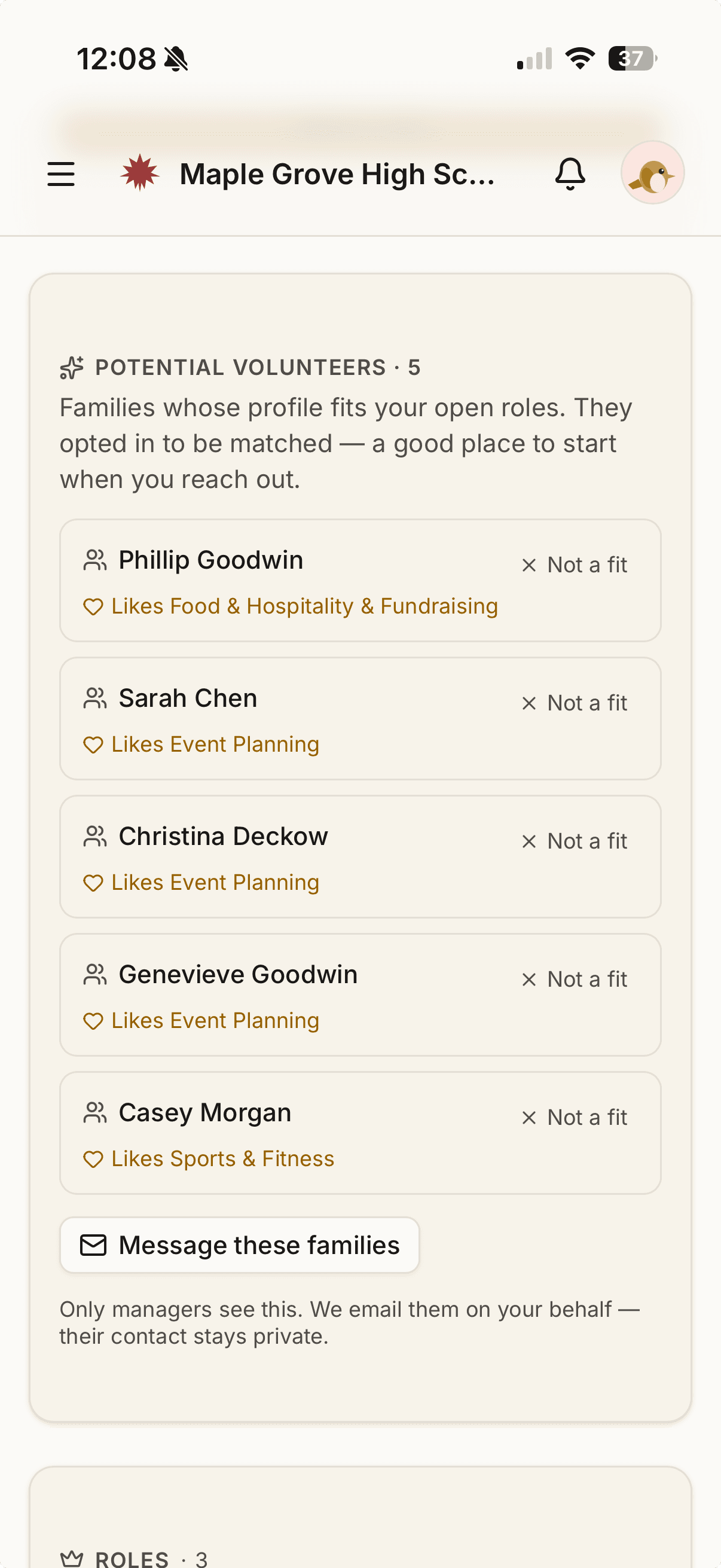
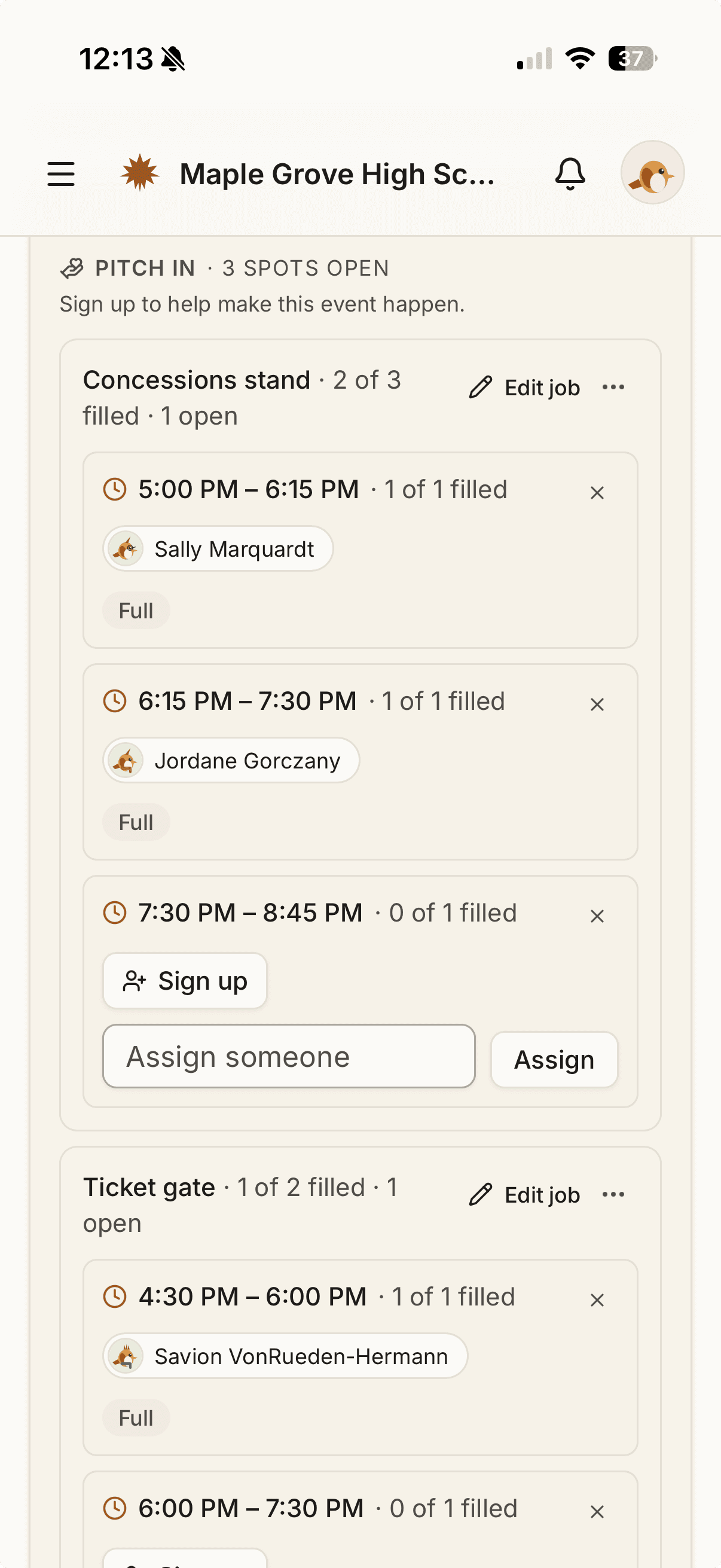
With dozens of teams, clubs, and committees, the hard part isn't the directory — it's staffing it. Parents tell Roost what they're into and when they're free, and as they opt in, each committee lead sees the parents most likely to say yes for their open roles — message them in a tap, without ever seeing contact info. For game day, turn concessions, ticket-taking, or setup into time-slot shifts parents claim themselves. The booster sign-up sheet, minus the spreadsheet.
Broadcasts — message exactly the right people.
Send to one club, one grade, one team, or the whole school in a single click. Everyone's BCC'd, no addresses exposed, no spreadsheet. The booster chair reaches the booster parents; the senior-class committee reaches the senior families. Nobody else gets the noise. Write it tonight and schedule it for the morning — compose now, pick a send time, and edit or cancel right up until it goes.
And you can welcome the families headed your way. With the feeder school's go-ahead, your PTO can send straight to a specific incoming grade — the high school greeting the middle school's current 8th-grade families before move-up day. Each family sees exactly why they got it: their child is in 8th grade at their current school, and yours is where they're headed next. It's grade-targeted messaging inside a feeder relationship both schools turned on — never a peek at another school's roster.
One account that ages up — no August rebuild.
Families don't sign up again every fall, and you don't rebuild the roster by hand. Accounts persist as kids move up, graduating classes roll off on their own, and returning families are already there. The manual senior-purge-and-freshman-add ritual just goes away. And when your feeder middle school is on Roost too, incoming freshmen already have accounts — the 8th-to-9th-grade handoff just happens.
One family, every school.
A kid in middle school and a kid in high school share one login, one family, one place to manage what's shared. No juggling separate accounts for separate buildings. This isn't a roadmap item. Hundreds of Lake Oswego families already have kids at more than one Roost school, on one account.
Trusted Help — your students are the help, for neighboring schools too.
Your high-schoolers are the neighborhood's babysitters, tutors, and coaches. Trusted Help turns that into a vouched-for roster from inside your own community. And a family can extend their own listing to nearby schools in the district as they come online, so the elementary families a couple of neighborhoods over can see that your sophomore babysits — marked with a badge showing the listing guardian's school, so it's clearly a real family in your district, not a stranger from the internet. You choose which schools it reaches, each school chooses whether to accept, and only your own family's listings ever travel.
Privacy families control — and a directory people actually use.
Families join with a magic link, confirm what's already there, and pick what to share — most are done in under a minute. And you choose the model: opt-in, opt-out, or a hybrid, whatever your school or district allows — so you can run the directory the way that actually fills it.
Sponsors — your boosters keep every dollar.
Booster orgs sell local-business cards right in Roost and keep 100% of the revenue. We don't take a cut of the sponsors you bring in, and we process no payments.
Roost works alongside your school's official tools.
Your district's platform — ParentSquare or whatever your school uses — handles official school-to-home messaging: attendance, grades, the principal's announcements. Roost doesn't replace that, and doesn't try to. Roost is the parent-to-parent layer: the directory, the clubs, the booster groups, the carpools — the community side that official tools were never built to do. The two work side by side.
Most directories were built for elementary — and it shows by high school.
DirectorySpot is organized around the classroom, has no concept of clubs, teams, or committees, and makes you re-import the whole roster every year. At 1,200 students with dozens of groups, that's where it breaks. Roost was built for the scale and the structure of middle and high school from the start — so the bigger and more complicated your school gets, the more it helps.
You're stretched thin. Roost does the parts that wear you out.
No rebuilding the roster every fall. No chasing a dozen scattered group chats. No begging families to sign up one by one. Roost does the annual roll-up for you, gives every group a home, and gets families in fast — so the thankless maintenance work mostly disappears, and the directory actually gets used.
See what it looks like for your school.
Look at the live demo first if you'd rather — sample families and kids, the MS/HS features in action, no signup and no salesperson. Or grab 15 minutes whenever you're ready.
Or email jeremy@roost.directory.